How To Stop Material Waste Using A Film Tracking Sensor Today
2025年12月17日 by newideapack
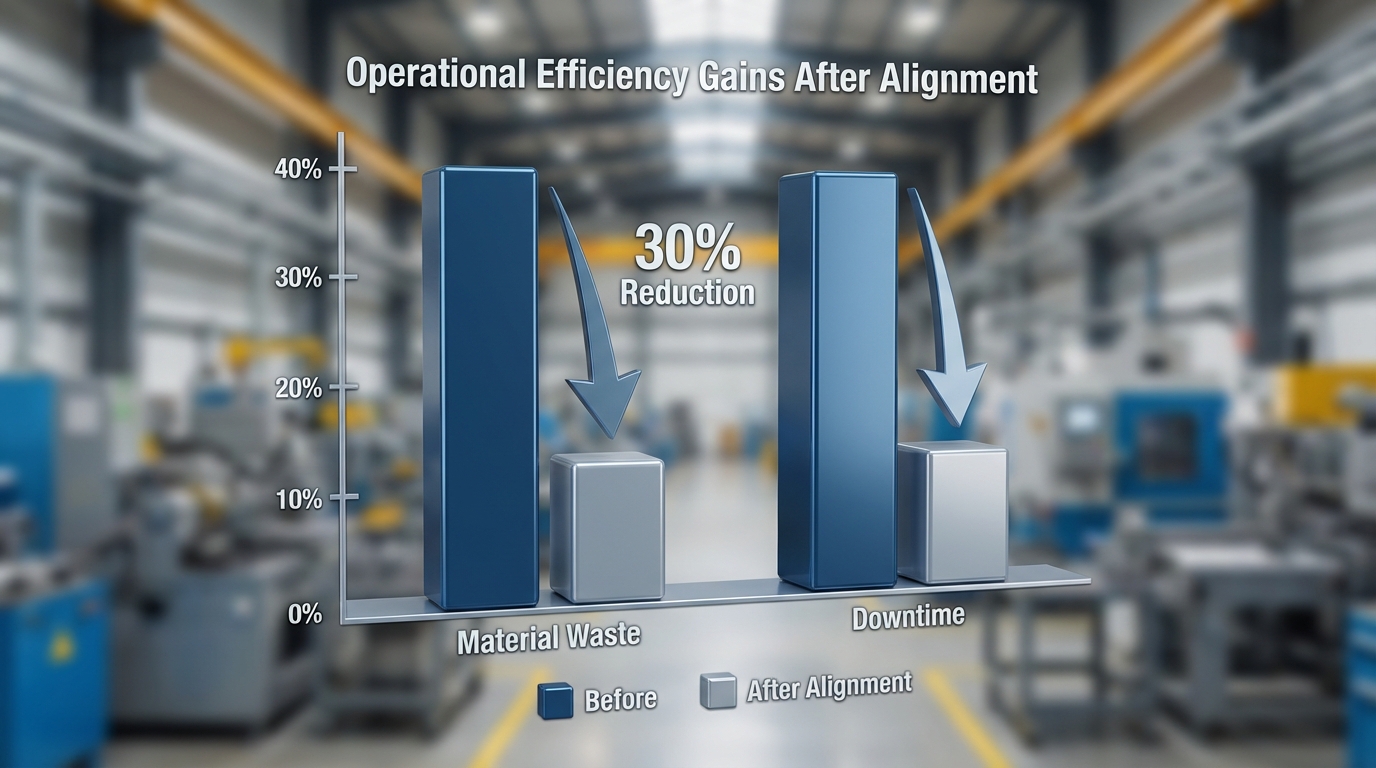
Implementing a film tracking sensor is the most effective way to eliminate material waste and prevent the costly downtime associated with misaligned packaging. By integrating a high-precision film tracking sensor directly into your production line, you can ensure that the packaging material stays perfectly centered, even at high speeds. This immediate technical fix addresses the root cause of “drift,” where expensive laminate film is shredded or rejected due to crooked seals and failed graphic registration.
Why is film tracking adjustment so critical for your ROI?
A proactive film tracking adjustment ensures your material stays perfectly centered, preventing expensive film scrap and reducing machine downtime significantly. When your film drifts, you aren’t just losing plastic; you are losing the labor, energy, and opportunity costs associated with every failed cycle. In high-speed environments, a drift of just a few millimeters can lead to hundreds of rejected units in minutes.
How does alignment prevent costly material scrap?
You can stop throwing money away by ensuring the film meets the forming tube perfectly every time. If the film is even slightly off-center, the vertical seal will fail, and the graphic registration will be ruined, rendering the entire batch unsellable.
Think about it.
Reduces raw material waste by up to 15% in high-volume runs.
Prevents ink smearing on the seals which causes aesthetic rejections.
Minimizes secondary packaging failures in the cartoning stage.
Lowers the frequency of catastrophic machine jams that damage film.
Maintaining tight tolerances is the only way to maximize your machine’s output. By focusing on alignment, you ensure that every roll of film you purchase is converted into a sellable product without unnecessary scrap.
Can precise tracking improve your overall bag quality?
Higher precision leads to perfectly symmetrical bags that look professional on retail shelves and build consumer trust. Your customers notice when a bag is crooked or when the graphics are cut off by the back seal, which directly impacts your brand’s perceived value.
It gets better.
Improves brand perception immediately through visual consistency.
Ensures consistent seal integrity, reducing the risk of “leakers.”
Facilitates easier downstream boxing and palletizing.
Reduces the risk of product contamination in the sealing area.
A well-aligned bag is a sign of a well-maintained production environment. When your film is tracked correctly, the aesthetic quality of your package finally matches the high standards of the contents inside.
Does alignment reduce your long-term maintenance costs?
When your film is centered, the machine components like the sealing jaws and pull belts experience even wear rather than localized stress. This translates to fewer emergency repairs and a longer lifespan for your expensive forming tubes and shoulders.
The bottom line is clear.
Extends the life of expensive vacuum pull belts.
Reduces friction and heat buildup on the forming shoulder.
Prevents drive motor overheating due to uneven resistance.
Lowers the annual cost of replacement mechanical parts.
Benefit
Impact on ROI
Success Metric
Waste Reduction
High (Up to 15% Savings)
% Material Yield
Machine Longevity
Significant Component Life
Maintenance Hours/Year
Brand Integrity
Direct Retail Appeal
Return Rate (Visual Defect)
Regularly scheduled adjustments are the most cost-effective way to boost your bottom line while maintaining peak operational performance.
What causes film to drift during the film tracking adjustment?
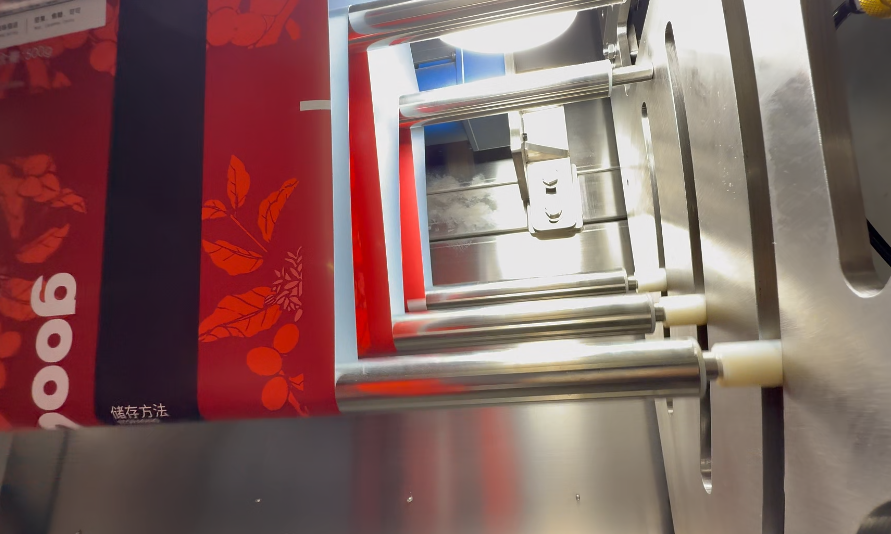
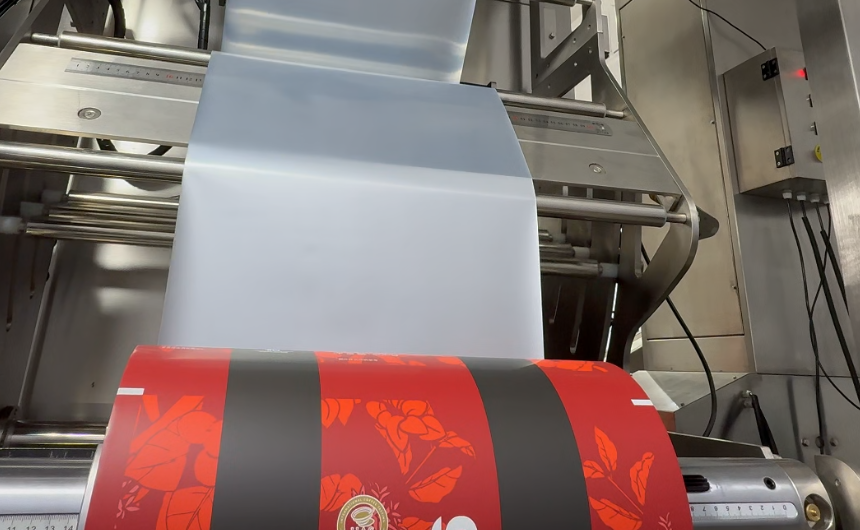
VFFS packaging machine equipped with an automatic film tracking sensor for waste reduction
Film drift is usually caused by uneven tension, dirty rollers, or a misaligned unwind mandrel, all of which require a prompt film tracking adjustment to correct effectively. If your roll isn’t perfectly level or the core is slipping on the shaft, the material will naturally pull toward the side with the most resistance, creating a snowball effect of errors. On a multilane sachet packing machine, even a tiny imbalance can throw multiple lanes out of sync simultaneously.
Are environmental factors shifting your film?
Temperature and humidity changes in your facility can actually cause the film to expand or contract slightly. This physical change alters the coefficient of friction, changing how the material grips the rollers during high-speed runs and leading to unpredictable tracking errors.
Wait for this.
High humidity causes film “sticking” on the forming tube.
Static electricity pulls the film off-center toward the frame.
Cold temperatures make the film brittle and prone to “snaking.”
Heat affects the tension response of poly-laminate structures.
You must control your environment to maintain consistent tracking throughout the day. Even small fluctuations in shop-floor temperature can throw a precision-calibrated machine out of alignment within a single shift.
Does improper roll loading cause tracking errors?
If you don’t center the roll precisely on the unwind shaft, the machine will fight to pull it back into place the entire time. This constant “tug-of-war” creates a zig-zag pattern in your bag seals and puts unnecessary lateral stress on the pull belts.
Believe it or not.
Offset roll placement on the mandrel creates uneven pull.
Loose mandrel chucks causing the core to slip and tilt.
Unbalanced weight distribution on the roll itself.
Incorrectly sized roll cores that don’t sit flush on the shaft.
Always use a ruler to ensure the roll is perfectly centered on the unwind shaft before starting a run. This simple step prevents the vast majority of tracking issues before the first bag is even formed.
Can film defects lead to tracking drift?
Sometimes the film itself is manufactured with “camber,” meaning one edge is slightly longer than the other. This curve forces the film to travel in an arc rather than a straight line, making manual tracking nearly impossible to maintain.
Here is the kicker.
Uneven film thickness (gauge variation) across the web.
“Telescoping” of the film roll layers during storage.
Inconsistent anti-static coating applications from the supplier.
Poorly slit roll edges that catch on the roller guides.
Drift Cause
Primary Symptom
Resolution Complexity
Mechanical Wear
Persistent one-side pull
Medium (Part Replacement)
Environmental
Erratic, random shifting
High (Climate Control)
Film Quality
Consistent “hunting” behavior
Low (Supplier Audit)
Pinpointing the root cause prevents you from making unnecessary mechanical changes that might further destabilize the system.
How do you start a manual film tracking adjustment?
You start a manual film tracking adjustment by identifying the direction of the drift and turning the adjustment screw on the unwind assembly in small, controlled increments. Most newideapack machines feature a calibrated handwheel or knob designed for this exact purpose, allowing for on-the-fly corrections without stopping the production cycle.
What tools do you need for manual alignment?
Actually, you usually won’t need anything more than the built-in handwheels and a standard metric hex key set. Having a clear stainless steel ruler nearby helps you measure the exact distance from the film edge to the machine frame for repeatable results.
The secret is patience.
Metric Allen key set for locking the primary bolts.
Stainless steel precision ruler for edge-to-frame measurements.
Marking pen for creating reference points on the machine frame.
Flashlight to inspect the internal rollers for hidden debris.
Always have these tools organized and ready at the machine station. Being prepared allows you to make corrections quickly before the waste bin overflows with rejected or malformed bags.
Why should you make adjustments in small increments?
Over-correcting is the most common mistake made by operators, leading to the film “hunting” back and forth across the rollers. Move the adjustment knob just a quarter-turn and wait for at least ten bags to pass before touching it again to allow the system to stabilize.
Think about it.
Prevents over-compensation and the “oscillation” effect.
Allows the film web tension to stabilize across the rollers.
Reduces the risk of the film snapping due to sudden tension shifts.
Helps you find the exact “center point” of the machine’s path.
Manual tuning is an art that requires a steady hand and a calm mind. If you rush the process, you will likely end up with a worse alignment than when you first started the adjustment.
How do you verify the adjustment is successful?
Once you think the film is centered, you should increase the machine speed to your standard production rate. Film often tracks differently at high speeds than it does during a slow-speed test run due to the inertia of the roll.
But that’s not all.
Run at least 50 bags at full production speed.
Check the vertical seal alignment for perfect overlap.
Verify the graphic registration position relative to the cut.
Measure the bag width at the top and bottom for consistency.
Adjustment Step
Action Required
Timing
Initial Check
Measure current edge distance
Pre-Run
Correction
Turn knob 1/4 toward the drift
During Run
High-Speed Test
Run 50 bags at production rate
Final Validation
Verification at full speed is the only way to ensure your adjustment will hold through a full eight-hour production shift.
Are your rollers the secret culprit behind film tracking adjustment?
Rollers are frequently the primary cause of misalignment due to debris buildup or worn bearings, making regular film tracking adjustment necessary to compensate for the resulting friction. If a single roller is even slightly tilted or “out of square,” the film will naturally track toward the side with less tension. On machines like the premade pouch packing machine, roller integrity is vital for smooth pouch transfer.
How does dust buildup affect roller performance?
Dust and adhesive residue create “high spots” on the roller surface, which unevenly increases the diameter in specific areas. This causes the film to travel faster on one side than the other, resulting in a persistent and frustrating drift.
Cleaning your rollers with isopropyl alcohol every morning is a simple habit that prevents complex tracking issues from ever forming. A smooth, clean surface ensures the film glides without any localized drag or resistance.
Can worn bearings throw off your film path?
Yes, a bearing that is starting to seize will create massive drag on one side of the roller, pulling the film off-center. This drag forces the film to pull toward the opposite side, regardless of how many times you adjust the unwind shaft.
It gets better.
Listen for high-pitched squeaking or grinding sounds.
Check for uneven roller heat levels after a long run.
Feel for excessive vibration during high-speed operation.
Observe if the roller stops spinning prematurely after power-off.
If you detect a bad bearing, replace it immediately to avoid damaging the film or straining the drive motor. Worn components create a domino effect that can lead to total machine failure if left unaddressed.
Is roller parallelism affecting your tracking?
If the rollers are not perfectly parallel to each other, the web will always track toward the side where the rollers are physically closest. Over time, vibration can loosen the mounting bolts, causing the rollers to shift out of their square orientation.
Look closer.
Use a spirit level on all primary and secondary rollers.
Check mounting bolt torque settings every month.
Inspect for bent roller shafts after a jam.
Verify the machine frame hasn’t warped or tilted.
Roller Issue
Recommended Fix
Impact Level
Debris Buildup
Daily Alcohol Cleaning
Moderate
Seized Bearing
Immediate Component Replacement
Critical
Out of Square
Realignment with Precision Tools
High
Checking your rollers weekly can save you from a massive tracking headache during your busiest and most critical production shifts.
Can automatic film tracking adjustment save your production?
Automatic film tracking adjustment systems use high-precision sensors and motors to correct alignment in real-time, drastically reducing the need for manual operator intervention. These systems are designed to “set and forget,” allowing your staff to focus on material replenishment and quality control rather than fighting the film path.
How do edge-detection sensors work?
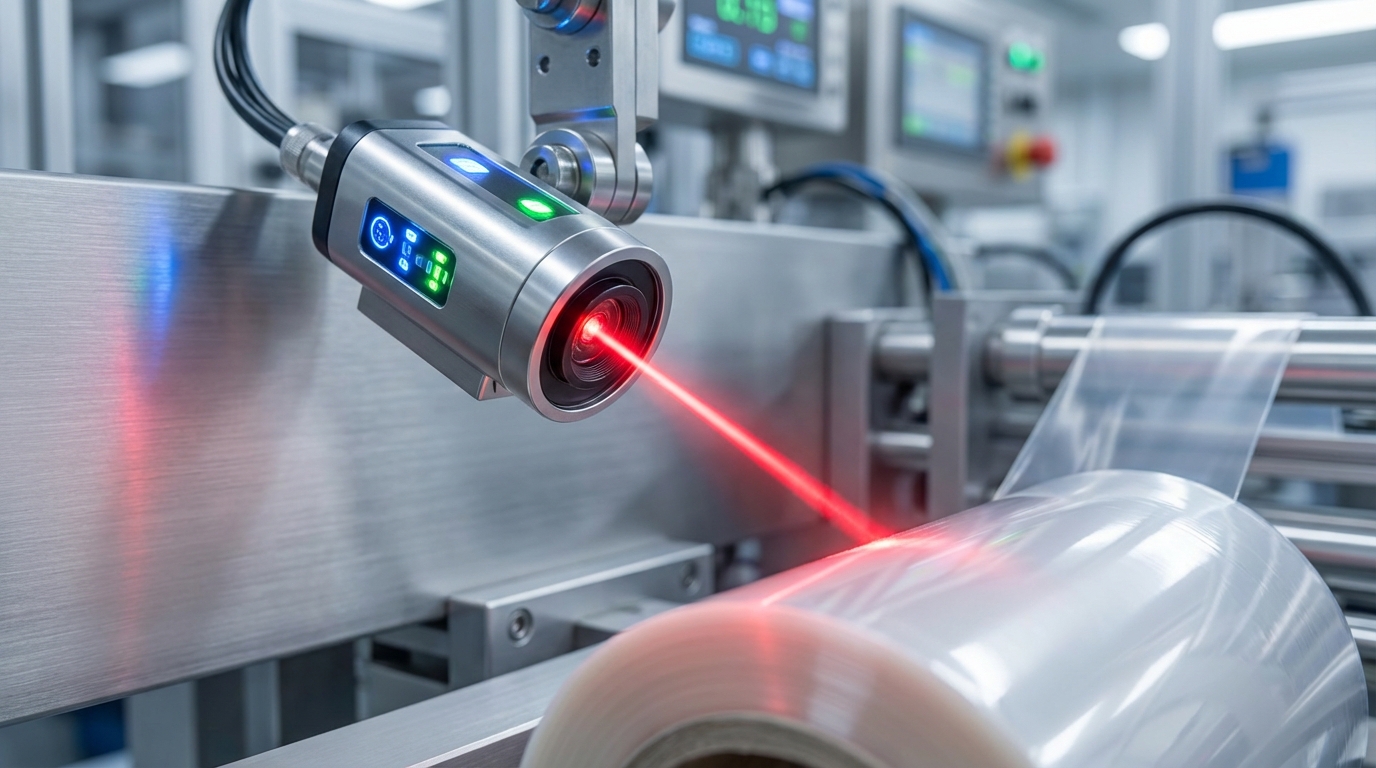
The sensors use infrared, laser, or ultrasonic waves to constantly monitor the exact position of the film’s edge as it passes through the web. If the edge moves even a fraction of a millimeter, the sensor sends an immediate signal to a motorized actuator.
Think about it.
Continuous real-time edge monitoring at high frequencies.
Instant feedback loops to the unwind shift motors.
High precision down to 0.1 millimeters of deviation.
Works effectively with both clear and opaque film types.
This technology eliminates the lag time associated with human operators noticing a drift problem. By the time an operator even sees a drift, the automatic system has already corrected it five times over.
What are the benefits of a motorized unwind?
A motorized unwind can shift the entire roll of film left or right based on the sensor’s real-time data. This keeps the film perfectly centered as it enters the forming tube, even if the roll itself was wound unevenly by the supplier.
It gets even better.
Drastic reduction in labor costs for alignment.
Much faster machine startup times for new batches.
Zero-drift production runs from start to finish.
Automatic compensation for “telescoping” film rolls.
Automation is the industry standard for high-speed lines where manual adjustments simply cannot keep up with the velocity of the film. It provides a level of consistency that protects your ROI round the clock.
Is the investment in automation worth it?
While automatic systems have a higher upfront cost, they usually pay for themselves within months through material savings and uptime alone. You should calculate the cost of your current waste to see how quickly your facility will break even.
Wait for this.
Lower scrap rates on every single shift.
Fewer highly skilled operators required on-site.
Consistent quality across all production batches.
Reduced machine wear and tear from manual tweaking.
Feature
Manual System
Automatic System
Reaction Speed
Slow (Minutes)
Instant (Milliseconds)
Precision
Variable by Operator
Constant and Digital
Long-term ROI
Standard
Very High
If you are running multi-shift operations, automatic tracking is no longer just an option—it is a competitive necessity.
Does forming tube alignment affect film tracking adjustment?
A forming tube that is slightly tilted or not perfectly centered will pull the film to one side, necessitating a permanent film tracking adjustment to the tube’s primary mounting bracket. The forming tube is the “destination” for the film; if the target is crooked, the film will never arrive straight, no matter how the unwind is adjusted. On a stick pack packaging machine, the narrow tube geometry makes this even more critical.
How do you check if the tube is centered?
You should measure the distance from the tube’s “wings” to the side frames of the machine on both the left and right sides. They must be identical down to the millimeter to ensure an even pull on the material as it bends into a cylinder.
The secret is patience.
Use a digital caliper for maximum measurement accuracy.
Check for vertical plumbness with a high-quality level.
Inspect the “shoulder” for any visual tilt or lean.
Verify the mounting bolts are torqued to spec.
A misaligned forming tube is the most common cause of “mystery” tracking issues that won’t go away. If you’ve adjusted the unwind station and the film still pulls, the tube is almost certainly the culprit.
Can a worn forming shoulder cause drift?
Over time, the friction of the film can wear down the smooth surface of the forming shoulder, creating uneven drag on the material. This drag causes the film to prefer one side over the other as it bends into the final tube shape.
But that’s not all.
Look for deep scratches or grooves on the metal.
Feel for rough metal patches or sharp burrs.
Replace the shoulder if the Teflon coating is peeling.
Clean off any built-up product residue or oil.
A worn shoulder can shred expensive film or cause persistent tracking errors that no electronic sensor can fix. Regularly inspect your shoulders and keep a spare on hand for quick swaps during a production crisis.
Does the pull belt tension affect the tube?
If the pull belts on the side of the tube are not applying equal pressure, one side will pull the film faster than the other. This creates a twisting motion that throws off both the vertical seal and the tracking alignment.
Wait for this.
Equalize pressure on both the left and right pull belts.
Replace belts that show signs of uneven wear or glaze.
Ensure belts are clean and provide a “grippy” surface.
Check the belt drive synchronization on the control board.
Tube Inspection
Optimal State
Impact on Tracking
Centering
Perfectly Symmetrical
High Stability
Surface
Mirror-Smooth, No Burrs
Reduced Drag
Mounting
Rigid, No Vibration
Constant Alignment
Always treat your forming tube with extreme care, as it is the most critical component for maintaining bag shape and tracking integrity.
Is improper tension causing errors in film tracking adjustment?
Film tension is the physical foundation of alignment, as loose film will wander uncontrollably, requiring a constant film tracking adjustment to stabilize the web. If the tension is too high, the film may stretch, distorting your graphics; if too low, it will sag and track poorly through the rollers.
Why does “web slap” ruin your tracking?
When the film is too loose, it vibrates or “slaps” against the rollers, causing it to jump out of alignment randomly. This erratic movement makes it impossible for even the best sensors or manual adjustments to stay locked on the edge.
Think about it.
Occurs most often during rapid machine starts and stops.
Causes crinkled and structurally weak bag seals.
Leads to frequent “ghost” sensor reading errors.
Creates inconsistent bag lengths across the run.
You must adjust your dancer arm to absorb these vibrations and maintain a steady pull. A well-tuned dancer arm acts like the suspension on a vehicle, smoothing out the “bumps” in the film’s travel.
Can inconsistent braking cause tension spikes?
If your unwind brake is worn out or contaminated with oil, it might grab and release the film unevenly rather than providing smooth, constant resistance. These sudden jerks throw the film path off-center and can even cause the forming tube to shake.
It gets better.
Check the thickness and wear pattern of the brake pads.
Inspect the dancer arm springs for signs of fatigue.
Clean the brake drum of all oil, dust, and debris.
Adjust the brake tension as the roll diameter decreases.
As the film roll gets smaller, the physics of tension requirements change significantly. If your brake system isn’t compensating for the decreasing roll weight, your tracking will degrade as the run progresses.
How do you balance tension across the web?
Ensure that the nip rollers are applying even pressure across the entire width of the film. If the tension is higher on the left side than the right, the film will naturally track toward the tighter side.
Wait for this.
Adjust the spring tension on the nip rollers for equality.
Ensure the entire film path is level relative to the floor.
Check for uneven film stretching or “necking.”
Verify the roll mandrel is perfectly horizontal.
Tension Level
Resulting Behavior
Solution
Too High
Film Stretching/Breaking
Loosen Brake Tension
Too Low
Tracking Drift/Web Slap
Tighten Dancer Springs
Balanced
Smooth, Centered Travel
Maintain Regular Calibration
Maintaining a steady tension profile is the only way to ensure your tracking adjustments remain stable over long periods of time.
How do film splices impact film tracking adjustment accuracy?
Film splices introduce a momentary change in thickness and stiffness, which often requires a quick film tracking adjustment on a coffee packaging machine to prevent the splice from jamming the jaws. A crooked splice is the most common cause of a “web break” during a roll change, leading to hours of re-threading.
Why do crooked splices cause tracking drift?
If the two ends of the film are not joined perfectly square, the splice will create a permanent “kink” in the web. As this kink hits the forming tube, the film will suddenly jump to one side, often jumping out of the sensor’s range.
Believe it or not.
Forces the entire machine out of its alignment path.
Causes the pull belts to slip briefly on the thicker tape.
Can damage the delicate forming shoulder edges.
Triggers false “end of roll” sensor alarms.
Take your time when splicing a new roll to ensure it is perfectly straight. Using a dedicated splicing table with built-in magnetic clamps is the best way to ensure the two ends meet at a perfect 90-degree angle.
Can splicing tape interfere with sensors?
The tape used to join the film is often more reflective or opaque than the film itself, which can confuse the edge-detection sensors. This confusion leads to a sudden, unnecessary tracking correction that throws the film completely off-center.
It gets better.
Use splicing tape that matches the film’s base color.
Adjust the sensor’s “ignore” windows for splice passage.
Keep the tape application as thin and flat as possible.
Ensure tape does not overhang the physical film edge.
Modern machines often have a “splice detection” mode that pauses the tracking system for a split second as the joined section passes through the sensor area. This prevents the system from overreacting to the momentary change in the film’s appearance.
How do you minimize the impact of a splice?
The best way to handle a splice is to slow the machine down to a crawl as the joined section passes through the forming tube. This reduces the mechanical shock and allows the tensioning system to react more smoothly to the thickness change.
Here is the kicker.
Slow down to 25% of production speed for splices.
Visually monitor the splice as it hits the forming tube.
Verify alignment immediately after the splice clears.
Automatically discard the specific bag containing the splice.
Splice Quality
Machine Reaction
Downtime Risk
Perfectly Square
No Tracking Deviation
Low
Slightly Crooked
Minor Drift, Self-Corrects
Moderate
Heavily Offset
Web Break or Machine Jam
High
Mastering the art of the splice will save you from the “roll-change jitters” that plague many inexperienced operators.
Can static electricity really shift your packaging film during film tracking adjustment?
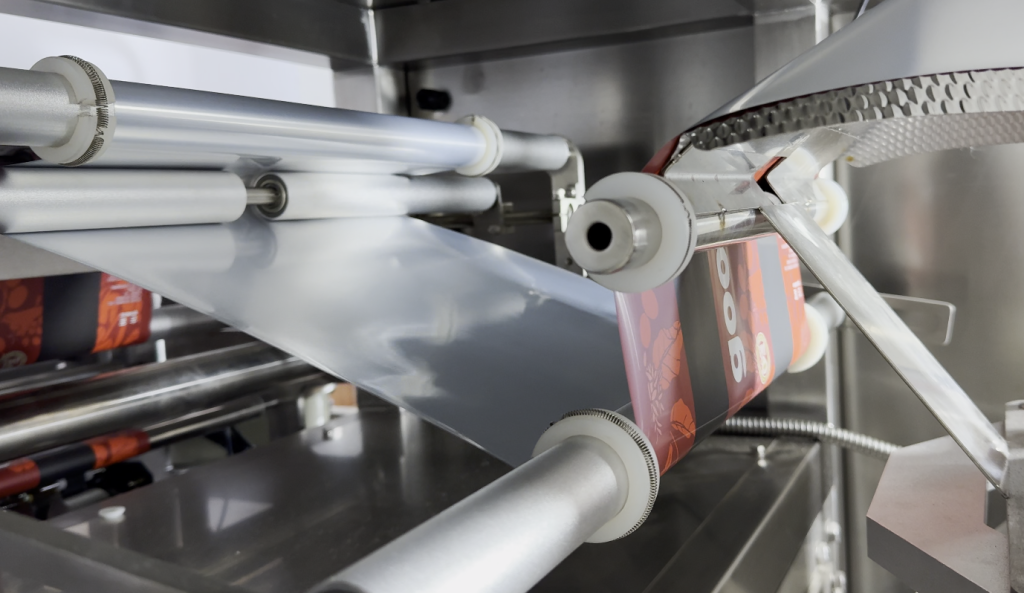
High-precision optical film tracking sensor monitoring edge alignment on a laminate roll
Static electricity creates an invisible and powerful force that pulls the film toward metal surfaces, making a precise film tracking adjustment nearly impossible in dry factory environments. This “clinging” effect causes the film to drag on one side of the rollers, forcing it off the intended path and making it unresponsive to mechanical tweaks.
Why is static worse in winter months?
Low humidity increases the buildup of static charge as the film unrolls and passes over the friction-heavy rollers. In the winter, the air in most factories is very dry, leading to massive static spikes that ruin alignment and shock operators.
Think about it.
Dry air does not allow electrical charges to dissipate.
High-speed friction generates more static per second.
Plastic films are natural insulators that hold charge.
Static attracts airborne dust directly to the film surface.
You might notice the film “jumping” toward the machine frame as it enters the forming area. This is a clear sign that you need to address the electrical charge before you try to adjust the tracking any further.
How do anti-static bars solve the problem?
Anti-static bars emit a cloud of ions that neutralize the charge on the film’s surface, allowing it to glide freely over the rollers without clinging. These bars should be placed as close to the unwind station and the forming tube as possible for maximum effect.
It gets even better.
Neutralizes surface charge in mere milliseconds.
Prevents the film from “sticking” to the forming tube.
Improves the edge-detection sensor accuracy significantly.
Reduces the risk of painful operator static shocks.
If you don’t have a powered anti-static bar, even a simple grounded copper tinsel draped across the film can help bleed off some of the surface charge. However, for modern high-speed production, active ionizing bars are the only reliable solution.
Can static confuse your electronic sensors?
Yes, a high static charge can actually interfere with the electrical signals sent by your edge sensors to the PLC control board. This interference causes “phantom” tracking errors where the machine makes corrections for problems that don’t actually exist.
Wait for this.
Causes erratic and jerky motorized movements.
Leads to frequent and annoying “sensor error” codes.
Distorts infrared and ultrasonic wave propagation.
Can permanently damage sensitive electronic components.
Static Level
Effect on Alignment
Solution
Low (Neutral)
Smooth and Predictable
No Action Needed
Medium
Slight Drag and Drift
Grounded Tinsel
High
Erratic Jumping and Jams
Ionizing Bars
Address the invisible forces of static first, and the visible alignment of your film will be much easier to manage.
What is the ultimate preventative maintenance checklist for film tracking adjustment?
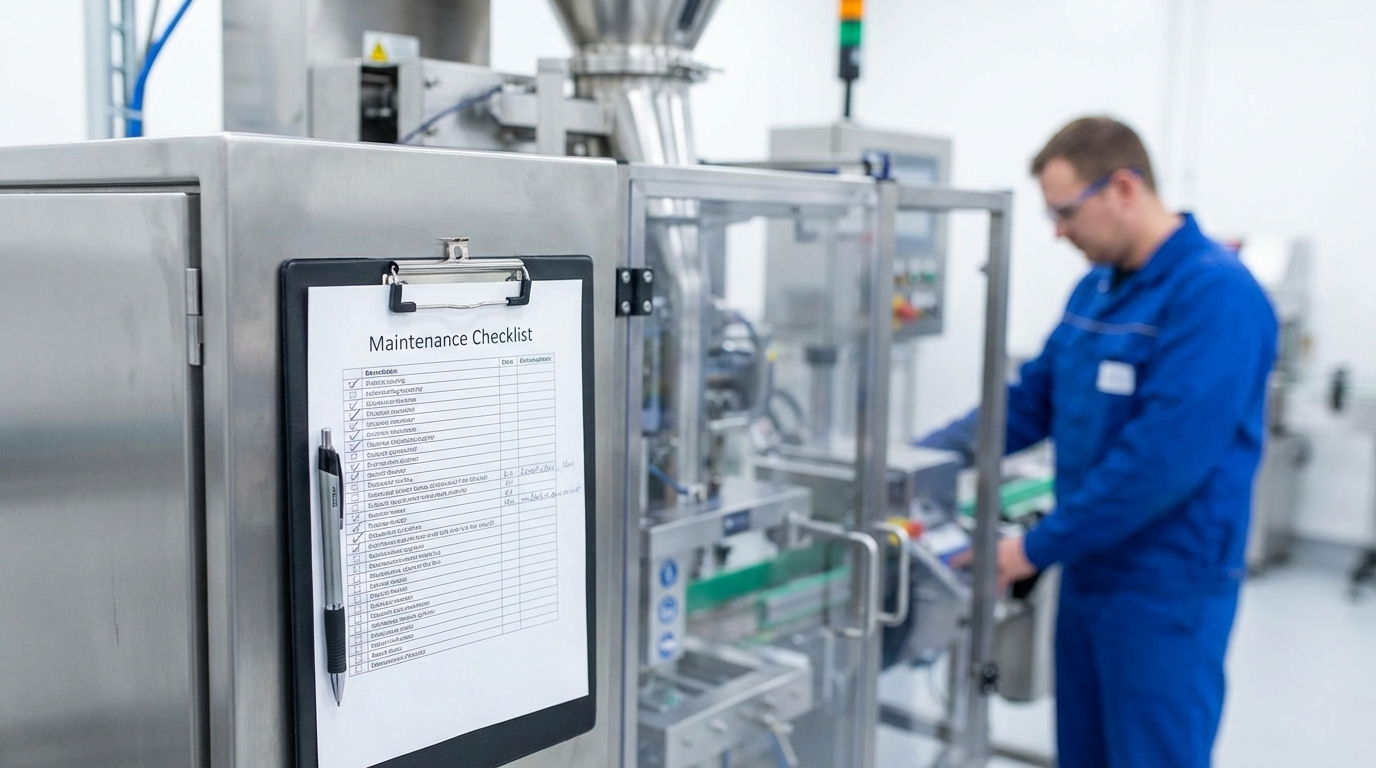
Preventative maintenance, such as daily cleaning and monthly roller inspections, drastically reduces the frequency of needing a film tracking adjustment during live production. A clean machine is a predictable machine that maintains its calibrated settings even under the stress of heavy, multi-shift use.
Why is a daily cleaning schedule essential?
Removing dust, oil, and adhesive every single morning ensures that friction remains consistent across the entire web path of the machine. It only takes five minutes but can save you hours of frustrating troubleshooting later in the day when production is in full swing.
Believe it or not.
Clean all contact rollers with 70% isopropyl alcohol.
Wipe down the forming shoulder wings and tube collar.
Blow out the edge sensor housings with clean compressed air.
Inspect the film for surface contaminants or oily residues.
Consistency is the absolute key to maintenance. If you skip even one day of cleaning, the cumulative buildup of dust can start to pull the film off-center by the middle of the very next shift.
When should you replace your wear parts?
Springs in dancer arms and brake pads should be replaced annually, even if they look “okay” to the naked eye. These components lose their tension over millions of cycles, leading to subtle tracking drifts that are incredibly hard to diagnose.
It gets better.
Replace all dancer arm springs every 12 months.
Inspect unwind brake pads for “glazing” or thinning.
Check drive belt tension and inspect for missing teeth.
Lubricate all roller pivot points and sealed bearings.
Keeping a digital log of when parts were replaced allows you to stay ahead of the wear curve. Don’t wait for a part to physically break before you replace it; proactive swaps keep your uptime high and your technician’s frustration low.
How do you audit your alignment settings?
Once a week, you should reset your manual adjustments to their factory “home” position and verify that the machine is still physically square. This prevents a “creep” of adjustments where you are accidentally compensating for one error by creating another.
Here is the kicker.
Reset all manual handwheels to the zero mark.
Re-measure the forming tube center relative to the frame.
Verify the sensor null-point calibration in the HMI.
Check the level and squareness of the unwind shaft.
Maintenance Task
Frequency
Estimated Time
Roller Cleaning
Daily (Before Shift)
5 Minutes
Sensor Calibration
Weekly
10 Minutes
Wear Part Review
Quarterly
60 Minutes
A well-maintained machine rarely suffers from the persistent tracking errors that plague neglected equipment in high-pressure facilities.
Final Thoughts on Film Alignment
Mastering film tracking is the fundamental difference between a highly profitable production line and one that drains your corporate resources. By understanding the intricate relationship between tension, roller cleanliness, and sensor calibration, you can eliminate the waste that haunts many packaging operations. At newideapack, we are committed to helping you achieve peak efficiency with equipment designed for precision, durability, and ease of use.We believe that perfect alignment should be the standard, not the exception, in modern packaging, and we are here to help you reach that goal with confidence.
Frequently Asked Questions
How do I know if my film drift is mechanical or material-related? Quickly check this by flipping the roll of film on the mandrel to see if the problem persists. If the drift stays on the same side of the machine, the problem is mechanical (rollers or tube); if the drift moves to the other side, the problem is a defect in the film itself (camber or uneven thickness).
Can I fix tracking issues without stopping the machine? Yes, but only if you have an automatic tracking system or easily accessible external manual handwheels. You must be extremely careful to only make tiny, quarter-turn adjustments while the machine is in motion to avoid causing a catastrophic web break or jam.
What’s the best way to handle static during film alignment? Always install a powered ionizing anti-static bar or grounding tinsel near the unwind station to neutralize the charge. This prevents the film from “jumping” toward metal surfaces or sticking to the forming tube, which is a major cause of sudden and unpredictable drift.
How often should I recalibrate my edge sensors? You should recalibrate them whenever you change film types (e.g., switching from clear to opaque) or if you notice the machine “hunting” for the center point. Even if using the same film, a weekly recalibration ensures the sensor hasn’t drifted due to dust or ambient light changes.
Why does my film track perfectly at slow speeds but fail at high speeds? High speeds amplify minor imbalances in tension and roller alignment that are invisible at lower velocities. Vibration and centrifugal force can cause loose components to shift slightly, so always verify your tracking at your actual production speed before starting a full shift.
Sales Pitch Component
If you are struggling with persistent material waste or need expert advice on your specific coffee packaging machine setup
please contact us today to speak with our technical team.